
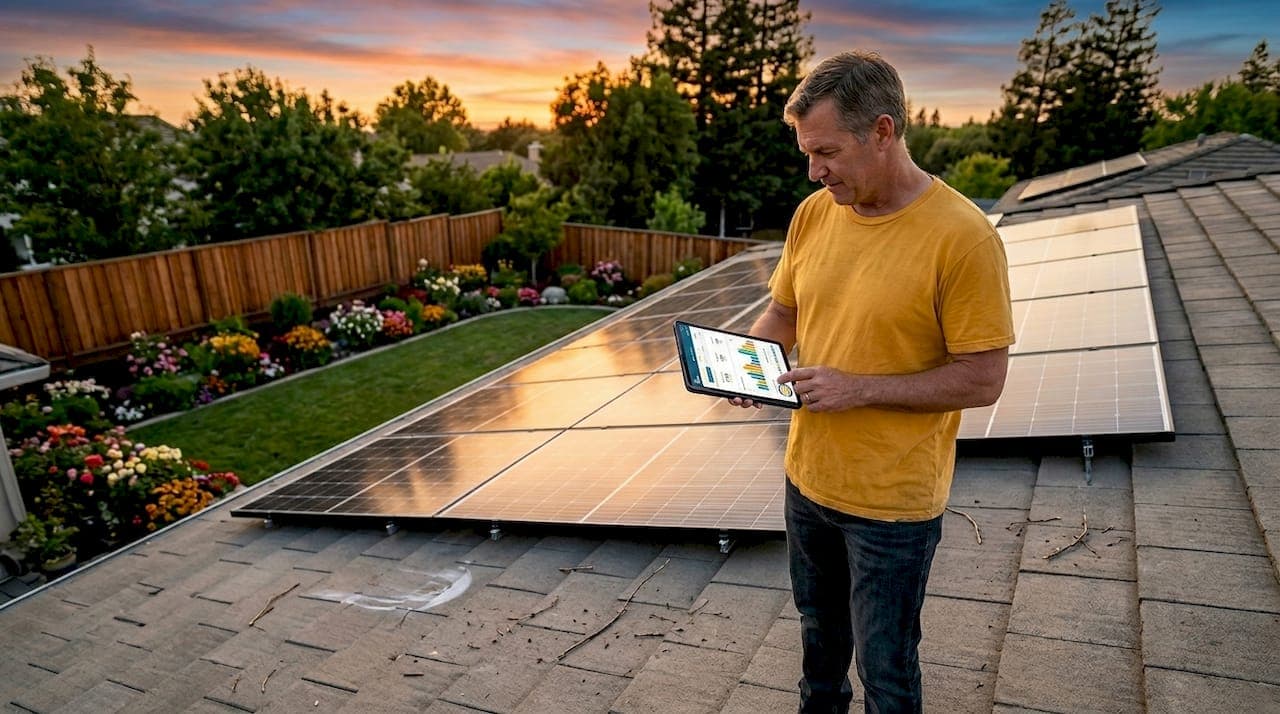
Solar system monitoring best practices are defined as the systematic processes of tracking energy production, diagnosing faults, and maintaining data integrity to maximize residential solar performance. The U.S. Department of Energy's operations and maintenance guidance treats monitoring as preventive care, not reactive troubleshooting. Done correctly, effective solar monitoring catches degradation early, prevents costly repairs, and protects the financial return on your solar investment. Tools like Enphase Envoy and concepts like performance ratio give homeowners concrete metrics to act on, not just numbers to ignore.
1. Track performance across multiple time scales
Multi-time-scale performance tracking is the foundation of every sound solar monitoring strategy. The DOE recommends logging energy production hourly, daily, monthly, and annually to support preventive operation and maintenance. Each time frame reveals a different category of problem. Hourly data catches inverter trips and shading issues. Monthly comparisons expose gradual degradation that daily noise would hide.
Two metrics matter most at every interval:
- Performance ratio (PR): The ratio of actual output to theoretical output under ideal conditions. A healthy residential system typically holds a PR above 0.75.
- Availability: The percentage of time the system is operational and producing. Drops below 95% warrant investigation.
Set up your monitoring dashboard in platforms like Enphase Enlighten, SolarEdge mySolarEdge, or Fronius Solar.web to display both metrics automatically. Most platforms allow threshold alerts by email or SMS when production drops below a defined percentage of expected output.
Pro Tip: Schedule automatic monthly performance reports from your monitoring portal and compare them against the production estimates in your original installer proposal. Consistent shortfalls of more than 10% signal a problem worth investigating.

2. Maintain reliable data flow and prevent monitoring gaps
Connectivity issues often masquerade as system failures. Before assuming hardware has failed, verify your data connection is intact. The Enphase Envoy gateway, for example, stores up to 7 days of production data locally. If your internet drops for longer than that, production history is permanently lost and cannot be recovered.
Follow these steps to prevent monitoring gaps:
- Use Ethernet instead of WiFi where possible. A wired connection to your Enphase Envoy or other monitoring gateway eliminates the signal instability that causes intermittent data loss.
- Check gateway status indicators weekly. A solid green light on the Enphase Envoy means communication is active. A flashing or amber light requires immediate attention.
- Test your router's signal strength at the gateway location. WiFi signal below 50% reliability at the device location causes frequent dropouts. A WiFi extender or mesh node resolves most cases.
- Set up connectivity alerts. Platforms like Enphase Enlighten notify you when the gateway goes offline. Enable these alerts in your account settings.
- Document outage dates. If a gap does occur, log the dates so your installer can cross-reference production estimates and avoid misdiagnosing a hardware fault.
Silent data loss during internet outages causes permanent gaps in your production history. Early detection is the only way to preserve the diagnostic record your installer needs.
3. Interpret inverter fault codes and event logs accurately
Inverter fault codes are the most direct signal your solar system sends when something is wrong. Fault code event histories with timestamps are critical for understanding whether an issue is transient or persistent. A single fault that clears itself within minutes is rarely serious. The same fault appearing daily for two weeks is a different situation entirely.
Fault codes appear in three locations, each showing different levels of detail:
- Inverter display panel: Shows only the current active fault. No history. Useful for immediate diagnosis but insufficient for trend analysis.
- Homeowner app: Provides recent fault history with basic descriptions. Platforms like Enphase Enlighten and SolarEdge mySolarEdge show event logs going back weeks or months.
- Installer-level portal: Shows the most detailed timestamps, system state data, and communication logs. Installer portals often reveal fault patterns that consumer interfaces do not display.
Common fault categories across brands like SMA, Fronius, and SolarEdge include grid voltage faults (AC-side issues), isolation faults (DC wiring problems), and temperature faults (ventilation or shading on the inverter unit). Each category points to a different physical cause and a different repair path. Understanding why inverter faults occur before calling a technician saves time and money.
Remote diagnostics reduce troubleshooting time significantly. Detailed fault logs allow technicians to identify root causes within 30 minutes remotely, avoiding unnecessary site visits. Before calling your installer, screenshot your event log and note the fault code, timestamp, and frequency. That preparation cuts diagnostic time in half.
Pro Tip: If your inverter shows a fault code you cannot identify, search the exact code number alongside your inverter brand name. SMA, Fronius, and SolarEdge all publish public fault code reference documents. Cross-reference the code against your inverter error history before escalating to a service call.
4. Calibrate sensors and schedule physical inspections
Accurate monitoring data depends on accurate sensors. Calibration frequency varies by system size. Small residential systems require sensor recalibration every five years. Larger systems need annual calibration. Skipping calibration does not just reduce data quality. It causes you to misread actual system performance and miss real degradation.
Physical inspection tasks that directly affect monitoring accuracy include:
- Cleaning irradiance sensors and weather stations. Dust and bird droppings on a pyranometer cause it to underreport available sunlight, making your system appear to underperform when it is actually operating correctly.
- Inspecting wiring connections at the monitoring gateway. Loose or corroded connections at the Enphase Envoy or SolarEdge inverter communication port cause intermittent data loss that looks like software errors.
- Removing debris from panel surfaces. Soiling losses of 5% to 10% are common in dry climates. Dirty panels reduce output without triggering fault codes, so only physical inspection catches the cause.
- Tightening conduit and junction box fasteners. Vibration from wind loosens connections over time. A loose DC connection creates arc fault risk and can trigger isolation fault codes.
- Checking mounting hardware for corrosion. Corroded racking hardware near coastal areas affects structural integrity and can indirectly stress wiring, creating intermittent faults.
Performance Loss Rate analysis separates reversible performance losses from irreversible degradation. Soiling, shading from new vegetation, and loose connections are reversible. Cell degradation is not. Physical inspections are the primary tool for catching reversible losses before they compound. Follow a maintenance schedule that includes both sensor calibration and panel inspection at least once per year.
5. Apply cybersecurity and data management hygiene
Solar monitoring portals are network-connected devices. The DOE's cybersecurity guidance treats post-installation network hygiene as a non-negotiable requirement for safe, reliable solar operations. A compromised monitoring gateway can feed false production data, disable alerts, or expose your home network to broader security risks.
Core cybersecurity practices for homeowners:
- Use a strong, unique WiFi password for the network your monitoring gateway connects to. Avoid default router passwords.
- Enable automatic firmware updates on your inverter and monitoring gateway. Enphase, SolarEdge, and Fronius all push security patches through their update systems.
- Restrict portal access to verified accounts only. Remove installer access credentials after the warranty period unless you have an active O&M contract.
- Archive production data annually. Export your yearly production history from your monitoring platform and store it locally. Cloud platforms can change data retention policies without notice.
- Use two-factor authentication on your monitoring portal account where the platform supports it.
Pro Tip: Treat your solar monitoring gateway like a router. Reboot it monthly, check for firmware updates quarterly, and change your WiFi password annually. These three steps cover the majority of residential cybersecurity exposure.
6. Use advanced fault detection to reduce false alarms
False fault alarms waste time and erode trust in your monitoring system. Clear-sky detection models achieve over 97% accuracy in distinguishing weather-induced performance dips from actual system faults. This matters because a cloudy afternoon can look identical to an inverter fault on a basic monitoring dashboard without irradiance normalization.
Advanced monitoring platforms like SolarEdge and Enphase incorporate irradiance data from local weather stations or satellite feeds to contextualize production drops. If your platform does not include this feature, cross-reference your production data against local solar irradiance records from sources like the National Renewable Energy Laboratory's PVWatts tool. A production drop on a day with 40% cloud cover is expected. The same drop on a clear day is not. Learning to read solar production data in context prevents unnecessary service calls and keeps your focus on real problems.
7. Formalize monitoring with an O&M contract
A formal operations and maintenance contract defines who monitors your system, at what frequency, and what actions they take when performance thresholds are breached. Without one, monitoring responsibility defaults entirely to the homeowner, and most homeowners check their app only when something looks obviously wrong. The role of solar O&M contracts includes scheduled performance reviews, remote diagnostics, and defined response times for fault resolution.
O&M contracts typically cover quarterly performance reports, annual physical inspections, and priority service response. For homeowners with battery backup systems, the contract should explicitly include battery state-of-health monitoring and cell balancing checks. A well-structured O&M agreement converts monitoring from an ad hoc activity into a documented, accountable process with measurable outcomes.
Key takeaways
Effective solar system monitoring requires multi-time-scale tracking, reliable data connectivity, accurate fault interpretation, and consistent physical maintenance to protect long-term system performance.
| Point | Details |
|---|---|
| Track at multiple time scales | Monitor hourly, daily, monthly, and annually to catch both immediate faults and gradual degradation. |
| Prevent data gaps | Use Ethernet connections and enable gateway alerts to avoid permanent production history loss. |
| Read fault codes in context | Use installer-level portal logs with timestamps to distinguish transient faults from persistent problems. |
| Calibrate and inspect physically | Clean sensors, tighten connections, and remove debris at least annually to maintain data accuracy. |
| Apply cybersecurity hygiene | Update firmware, restrict portal access, and archive production data to protect monitoring integrity. |
What I've learned from watching homeowners skip the basics
Most homeowners I've seen run into trouble with their solar systems share one pattern: they check their monitoring app when production looks low, not on a schedule. That reactive approach means small problems compound for months before anyone notices. A loose DC connection that triggers an occasional isolation fault in January becomes a persistent arc fault risk by summer. The monitoring data was there the whole time. Nobody looked.
The other common mistake is treating a data gap as a system gap. I've reviewed cases where homeowners called installers in a panic over "missing production," only to find the Enphase Envoy had lost its internet connection three weeks earlier. The panels were fine. The data was gone. That distinction matters enormously when you're trying to assess whether your system is underperforming or your gateway just needs a reboot.
Physical inspections also get skipped more than any other practice. Soiling losses are invisible in fault logs. A pyranometer covered in dust reports lower irradiance, which makes your system appear to be performing better than it actually is relative to available sunlight. You won't catch that from an app. You catch it by walking up to the equipment once a year with a checklist.
The homeowners who get the most from their systems treat monitoring as a scheduled discipline. Monthly app reviews, annual physical inspections, and a standing relationship with an installer who has portal-level access. That combination catches nearly every problem before it becomes expensive.
— David
Get a second opinion before problems become costly repairs
Solarrepairtoday specializes in helping homeowners understand what their monitoring data actually means. If your system is showing fault codes you can't interpret, production numbers that don't match your original proposal, or data gaps you can't explain, the Solarrepairtoday diagnostic review process gives you a clear, independent assessment. Submit your monitoring reports, inverter logs, or installer proposal through the "Before You Sign" intake program for a full review of system performance, equipment condition, and battery backup options. For homeowners evaluating a new contract or repair quote, a solar proposal review from Solarrepairtoday provides the clarity you need before committing.
FAQ
What metrics should I track for solar system monitoring?
Track performance ratio, energy production, and system availability at hourly, daily, monthly, and annual intervals. The DOE recommends this multi-time-scale approach to support preventive maintenance and catch both immediate faults and long-term degradation.
How do I fix a monitoring data gap in Enphase?
Check your Enphase Envoy gateway status indicators first. If the internet connection dropped, the Envoy buffers up to 7 days of data locally. Restore connectivity within that window to recover the missing production history automatically.
What does an inverter fault code mean?
Fault codes indicate specific error conditions such as grid voltage issues, isolation faults, or temperature problems. Check your monitoring portal's event log for timestamps and frequency before contacting your installer, since a single transient fault differs significantly from a recurring one.
How often should I inspect my solar system physically?
Residential systems require a physical inspection at least once per year. Sensor calibration is recommended every five years for small systems, per DOE guidance. Annual inspections should include cleaning sensors, checking wiring connections, and removing debris from panel surfaces.
How do I protect my solar monitoring portal from security risks?
Use a strong, unique WiFi password, enable automatic firmware updates on your inverter and gateway, and activate two-factor authentication on your monitoring account. The DOE identifies post-installation network hygiene as a core requirement for safe solar system operations.