
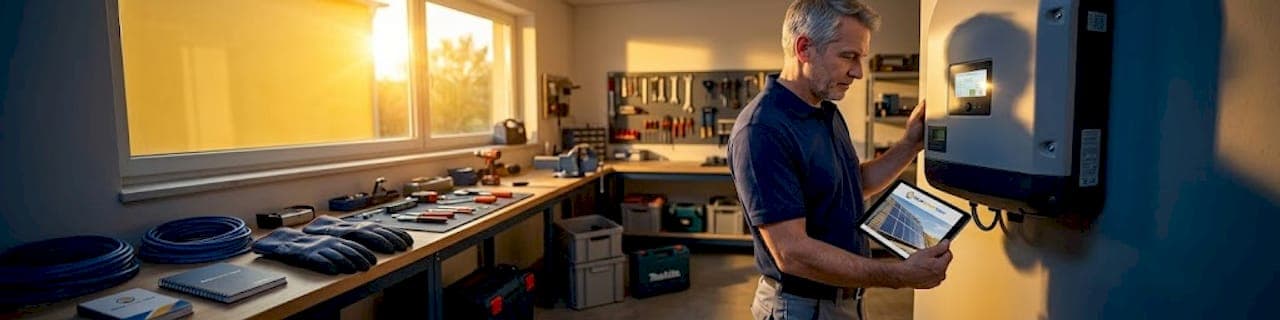
When a power outage hits, your solar inverter may not come back on automatically. This is actually by design. Inverters include built-in safety protocols that disconnect the system during grid instability, and knowing how to reset solar inverter after outage conditions is the difference between getting your system running in 10 minutes and waiting on a service call for days. This guide walks you through every step: safety checks, the correct manual shutdown and power-up sequence, remote reset options, troubleshooting persistent faults, and confirming your system is generating properly again.
Table of Contents
- Key Takeaways
- How to reset solar inverter after outage: safety first
- Step-by-step manual reset procedure
- Remote reset options via monitoring apps
- Troubleshooting when the reset does not work
- Confirming your system is back to normal
- My take on inverter resets after outages
- When to get professional support
- FAQ
Key Takeaways
| Point | Details |
|---|---|
| Always follow the correct sequence | Turn off AC breaker first, then DC isolator; power on DC first, then AC to avoid grid faults. |
| Wait the full 5 minutes | Internal capacitors need time to fully discharge before the processor resets cleanly. |
| Remote resets work for minor faults | Monitoring apps like Solarman or FusionSolar can fix communication glitches without a physical reset. |
| Repeated resets signal a real problem | If the fault light returns quickly after reset, stop resetting and call a professional. |
| Confirm success with your monitoring app | A successful restart shows live power output, no fault codes, and a stable grid connection. |
How to reset solar inverter after outage: safety first
Before touching any isolator or breaker, take 2 minutes to assess the situation. Skipping this step is the most common mistake homeowners make, and it creates real risk.
Here is what to check before starting any solar inverter post-outage reset:
- No visible damage. Look at the inverter, wiring, conduit, and nearby panels. Scorch marks, melted insulation, or cracked components mean stop and call a licensed electrician.
- No active storm. Never attempt a reset during a lightning storm or if any component shows physical damage. Electrical hazards and permanent equipment damage are real risks.
- Daylight conditions. Your inverter needs DC power from sunlight to start up properly. Resetting during low-light or nighttime can cause the inverter to stay off, which homeowners often misread as a hardware failure.
- Dry hands and dry surroundings. Water and electricity do not mix, especially near outdoor equipment after a storm.
- Locate your isolators. You need to know where your AC isolator (typically near your main switchboard or meter box) and DC isolator (usually mounted on or near the inverter itself) are before you begin.
Gather a flashlight if you are working in a dim location. Insulated gloves are a smart precaution when handling isolators, especially on older systems. If there is any doubt about the condition of your equipment, contact a qualified solar technician before proceeding. You can also review common inverter error causes to help identify what you are dealing with before you touch anything.
Pro Tip: Take a photo of your inverter display before resetting. The fault code or LED pattern on screen is useful diagnostic information if the fault returns and you need to report it to a technician.
Step-by-step manual reset procedure
This is the core of the solar inverter reset guide. The sequence matters more than most homeowners realize. Get it wrong and you either fail to clear the fault or trigger a new one.
The correct shutdown sequence
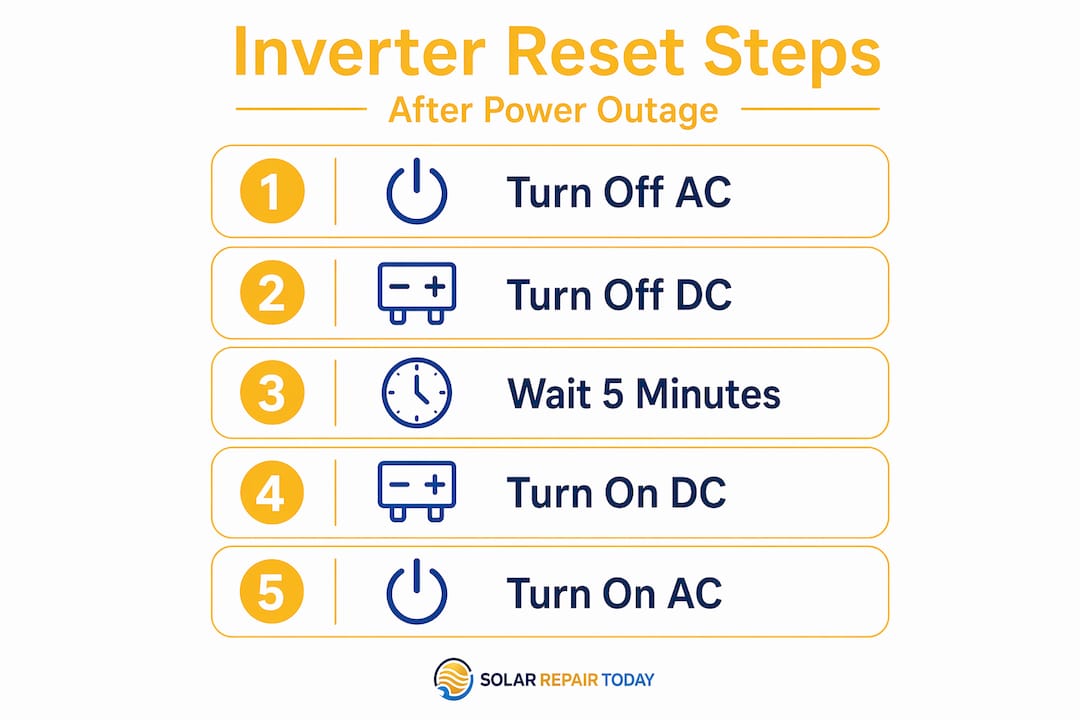
- Turn off the AC isolator or AC breaker first. This disconnects the inverter from the grid. The AC isolator is usually located at your main switchboard, labeled for solar or PV system.
- Turn off the DC isolator second. This cuts the power supply from your solar panels to the inverter. It is typically mounted on or very close to the inverter unit itself.
- Wait a full 5 minutes. Do not cut this short. Internal capacitors hold residual charge after shutdown, and the 5-minute wait allows them to fully discharge so the inverter processor resets completely. This step is the one homeowners most often skip, and it is the reason many resets fail.
The correct power-up sequence
- Turn the DC isolator ON first. This supplies solar power to the inverter and allows it to sync with your panels.
- Turn the AC isolator or AC breaker ON second. The power-up order, DC then AC, ensures the inverter syncs with your solar array before reconnecting to the grid. Reversing this sequence can trigger a grid fault and prevent the inverter from operating at all.
- Watch the inverter display or LED indicators. The startup process typically takes 1 to 5 minutes. A green light or a live power output reading on the display means the reset worked.
Reset sequence summary
| Step | Action | Notes |
|---|---|---|
| 1 | Turn off AC isolator | Disconnects grid connection |
| 2 | Turn off DC isolator | Cuts solar panel power supply |
| 3 | Wait 5 minutes | Allows full capacitor discharge |
| 4 | Turn on DC isolator | Supplies solar power to inverter |
| 5 | Turn on AC isolator | Reconnects inverter to grid |
| 6 | Monitor display or LEDs | Confirm startup and no fault codes |
Pro Tip: Rapid cycling, meaning turning the inverter off and back on too quickly, can cause new fault codes or incomplete shutdowns. Always wait at least 1 to 2 minutes between any retry attempts, and a full 5 minutes for a complete reset.
Remote reset options via monitoring apps
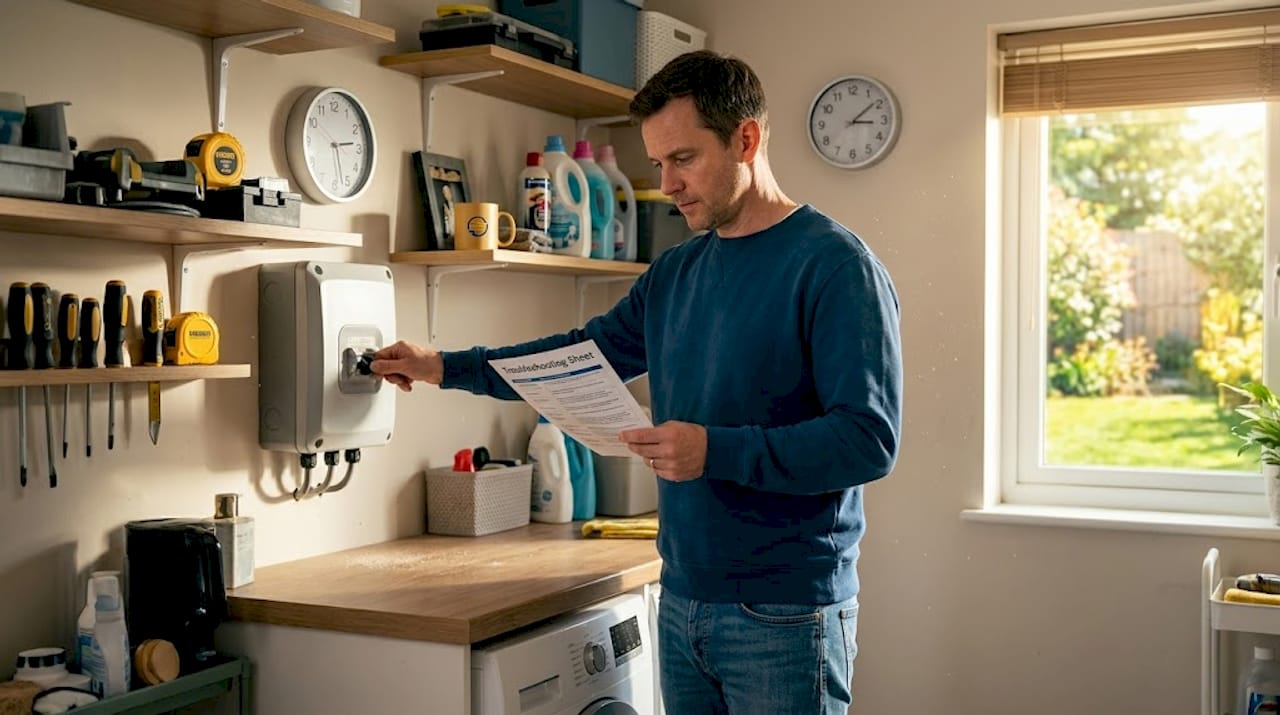
Not every fault after a blackout requires a physical reset. Many inverters support remote software restarts through manufacturer monitoring platforms, and this should often be your first step for minor faults.
Remote restarts via monitoring apps like Solarman, FusionSolar (Huawei), and iSolarCloud (Sungrow) can resolve communication dropouts, WiFi glitches, and minor software faults without any physical intervention. This is particularly useful if your inverter is mounted in a hard-to-reach location.
Here is how to attempt a remote reset:
- Open your inverter monitoring app and log in to your account.
- Navigate to the device or plant settings for your inverter.
- Look for a "Restart," "Reboot," or "Remote Control" option within the device management menu.
- Confirm the command and wait 3 to 5 minutes for the inverter to cycle and reconnect.
- Check the app dashboard for live power output and connection status.
Remote resets work well for communication faults, WiFi dropouts, and minor software errors. They do not work for hardware faults, wiring issues, or physical damage. If the fault persists after a remote restart attempt, move to the full manual procedure described above.
One important caution: avoid remote resets if you suspect physical damage to the system or if you have not yet completed a visual inspection of the equipment. A remote restart sends power through a potentially compromised system. For help with monitoring connectivity issues specifically, see the monitoring troubleshooting guide from Solarrepairtoday.
Troubleshooting when the reset does not work
A reset clears software faults. It does not fix hardware problems. If your inverter is not responding after a complete reset procedure, use these indicators to identify what is actually going on.
What to look for after a failed reset
- Fault light returns within minutes. This is the clearest signal of a hardware or wiring fault. If the fault indicator returns quickly after reset, the problem is not a software glitch. Continuing to reset in this situation is ineffective and may worsen the system state.
- No display activity at all. If the inverter screen shows nothing after startup, check whether the DC isolator is fully engaged and that there is adequate sunlight on the panels.
- Grid fault codes. After an outage, grid voltage and frequency may remain unstable for some time. Grid-related fault codes can persist until the utility supply fully stabilizes. Waiting 30 minutes before attempting another reset is recommended in this case.
- Battery backup not charging. If you have a battery storage system that is not recovering, the issue may be with the battery management system rather than the inverter itself.
When to stop resetting and call a professional
| Symptom | What it likely means | Recommended action |
|---|---|---|
| Fault code returns in under 5 minutes | Hardware or wiring fault | Call a licensed solar technician |
| Burning smell or scorch marks | Physical damage | Do not reset. Call immediately. |
| Inverter completely unresponsive | Power supply or internal failure | Professional diagnostic required |
| Grid fault codes persist after 30 min | Utility grid instability or meter issue | Wait, then contact your installer |
Most inverters store fault logs accessible through the display menu or monitoring app. Before calling a technician, pull up the error log and note the most recent codes. This accelerates the diagnostic process and can save you a service visit. Understanding why solar inverter faults occur in the first place is also worth reviewing before committing to any repair work.
Pro Tip: Document every fault code you see and the time it appeared. This log is useful evidence for warranty claims and helps a technician diagnose the issue faster.
Confirming your system is back to normal
A successful solar power outage recovery is not just about the inverter turning on. You want confirmation that the system is generating power at expected levels and exporting to the grid normally.
Here is what normal operation looks like after a successful reset:
- Live power output on the display. Your inverter screen should show watts being generated in real time. On a clear day with a typical residential system, output should climb noticeably within 5 to 10 minutes of startup.
- No fault indicators. All fault lights should be off. A steady green LED or "Normal" status message on the display confirms the successful reset, along with a live power output reading and a stable grid connection.
- Monitoring app shows system online. Your app dashboard should display current generation, no alerts, and a connected status for both the inverter and any battery storage.
- Export meter or feed-in confirmed. If your system normally exports to the grid, check that your utility meter or smart meter app is registering solar export. This confirms end-to-end system function.
- Wait 15 to 30 minutes after restart. Output often ramps up gradually as the inverter stabilizes and syncs fully with the grid. Do not draw conclusions from the first 2 minutes of data.
If everything looks normal after 30 minutes, your solar panel system reset is complete. If any fault codes reappear or output seems significantly lower than expected for current conditions, flag it for a professional review.
My take on inverter resets after outages
I have reviewed hundreds of solar system reports, and the same pattern shows up repeatedly. A homeowner experiences an outage, the inverter does not come back on, and they either reset it five times in a row within 20 minutes or they wait weeks before doing anything at all. Both approaches create problems.
The multiple rapid resets are the more damaging habit. The processor in a modern inverter is not like a home router. It needs time to discharge and restart cleanly. Skipping the 5-minute wait or cycling the power repeatedly often introduces new fault codes that were not there to begin with. What started as a simple grid-related shutdown becomes a more complicated diagnostic situation.
What I have also found is that homeowners tend to either over-worry or under-respond to fault codes. A single fault code after an outage is almost always just the inverter's safety response to grid instability. Patience and a single correct reset typically resolve it. But a fault code that returns within minutes of a reset is telling you something real. That situation calls for a technician, not another reset attempt.
Remote reset capability has genuinely improved the process over the past few years. The ability to restart an inverter through an app rather than climbing into a utility room or rooftop enclosure is a practical advancement. Use it as a first step for minor faults. Just do not rely on it when a physical inspection is clearly needed.
The underlying message is simple. Follow the sequence, wait the full time, and read what the system is telling you before acting again.
— David
When to get professional support
If your reset attempts have not resolved the fault, or you are dealing with a system that has had repeated issues since installation, Solarrepairtoday can help you get clarity before spending money on repairs or new equipment.
Through the "Before You Sign" intake program, Solarrepairtoday provides independent diagnostic reviews of your solar proposal, system performance data, and equipment setup. If you are considering a repair quote, a solar contract financing review can identify whether you are being quoted fairly. For homeowners exploring added resilience after an outage, the battery backup options page covers compatible systems and what to ask before adding storage. And if your inverter fault may be covered under a manufacturer or installer warranty, the solar warranty page explains how to assess your coverage. Get a second opinion before committing to costly repairs.
FAQ
How do I reset my solar inverter after a power outage?
Turn off the AC isolator first, then the DC isolator. Wait 5 minutes, then turn on the DC isolator first, followed by the AC isolator. Monitor the display for a normal startup with live power output and no fault codes.
Why won't my solar inverter turn on after a blackout?
The inverter may be waiting for the grid to stabilize. Grid-related faults can persist until utility voltage and frequency return to normal levels, so waiting up to 30 minutes before retrying is recommended.
Can I reset my inverter remotely without going to the unit?
Yes. Apps like Solarman, FusionSolar, and iSolarCloud support remote restarts for minor communication faults and software glitches. Remote resets do not fix hardware or wiring faults and should not replace a physical inspection when damage is suspected.
How many times should I try resetting my inverter?
One complete reset with the correct sequence and full wait times is the standard approach. If the fault returns immediately after reset, stop and contact a licensed solar technician. Repeated resets on a hardware fault can worsen the system state.
How do I know if my solar inverter reset was successful?
A successful reset shows live power output in watts on the inverter display, no fault indicators, a stable connection in your monitoring app, and confirmed solar export on your utility or feed-in meter.